How to view and edit the roadmap
roadmap.drawio.svg is a regular SVG image with a draw.io
diagram embedded inside it — open it anywhere to see the map. It is generated: the real
source is a language-neutral text description in tools/mapgen/roadmap/,
so this .drawio.svg is build output, not the thing you edit.
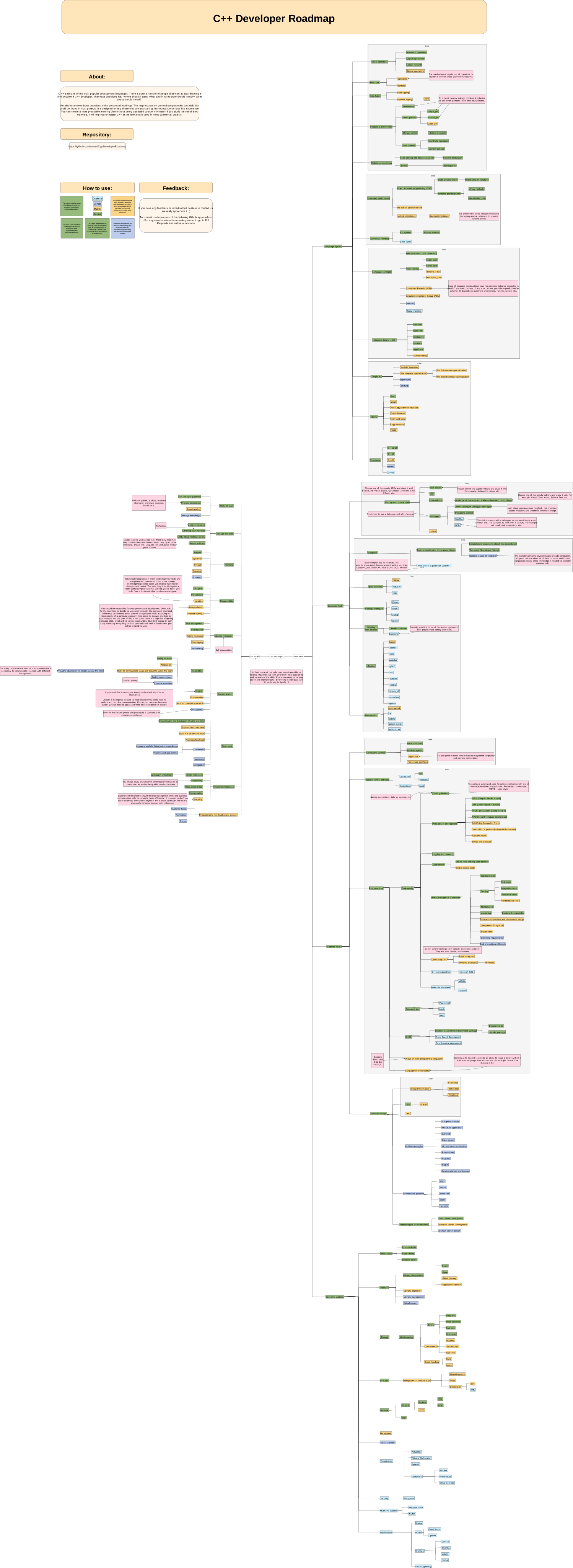
Viewing
- On the site: salmer.github.io/CppDeveloperRoadmap/goto/svg/?l=en
- On GitHub: open roadmap.drawio.svg — it renders as an image.
- Interactively: the draw.io viewer (view only — changes there are not saved back).
Editing
The map is built from tools/mapgen/roadmap/ — structure.dsl (the node tree, grades,
stages, hint boxes) and one <lang>.tsv per language (just the text). Do not edit this
.drawio.svg by hand — it is regenerated from the source, and CI (mapcheck) rejects a map
that has drifted from it.
- Fork the repository and edit the source:
- a node, its grade/stage, or a hint →
tools/mapgen/roadmap/structure.dsl - wording (a label, a hint, the date) → the matching row in
en.tsv/ru.tsv/zh.tsv/es.tsv(a new node needs a row in all four).
- a node, its grade/stage, or a hint →
- First time only — get your machine ready:
python tools/mapgen/setup.py --venvIt creates a virtualenv, installs Pillow, and checks for the two things it can’t install for you (a CJK font and the draw.io desktop app), printing the exact command for your OS if either is missing.
- Rebuild, update all four maps and validate — one command from the repo root:
python tools/mapgen/build.py --dir tools/mapgen/roadmap --deploy --check--deploycopies each built map over its<Language>/Graph/roadmap.drawio.svg;--checkrunsmapcheckafterwards. Dependencies are re-verified before anything is built, so a missing one — or a virtualenv you forgot to activate — is reported up front. - Open a pull request with the source and the regenerated maps.
See tools/mapgen/README.md for the DSL grammar and details.
Can’t run the build? Edit the source anyway and note it in your PR — a maintainer will
regenerate the maps.